

Appearance
Create an organization and first workspace
Persona: new customer / organization owner. You request a workspace, wait for an operator to approve it, activate your profile, and create your first room.
Before you start
Have a global account. Workspace approval is an operator action, so the request cannot be completed until an operator approves it.
1. Sign in and request a workspace
Open the landing page and choose Start free.
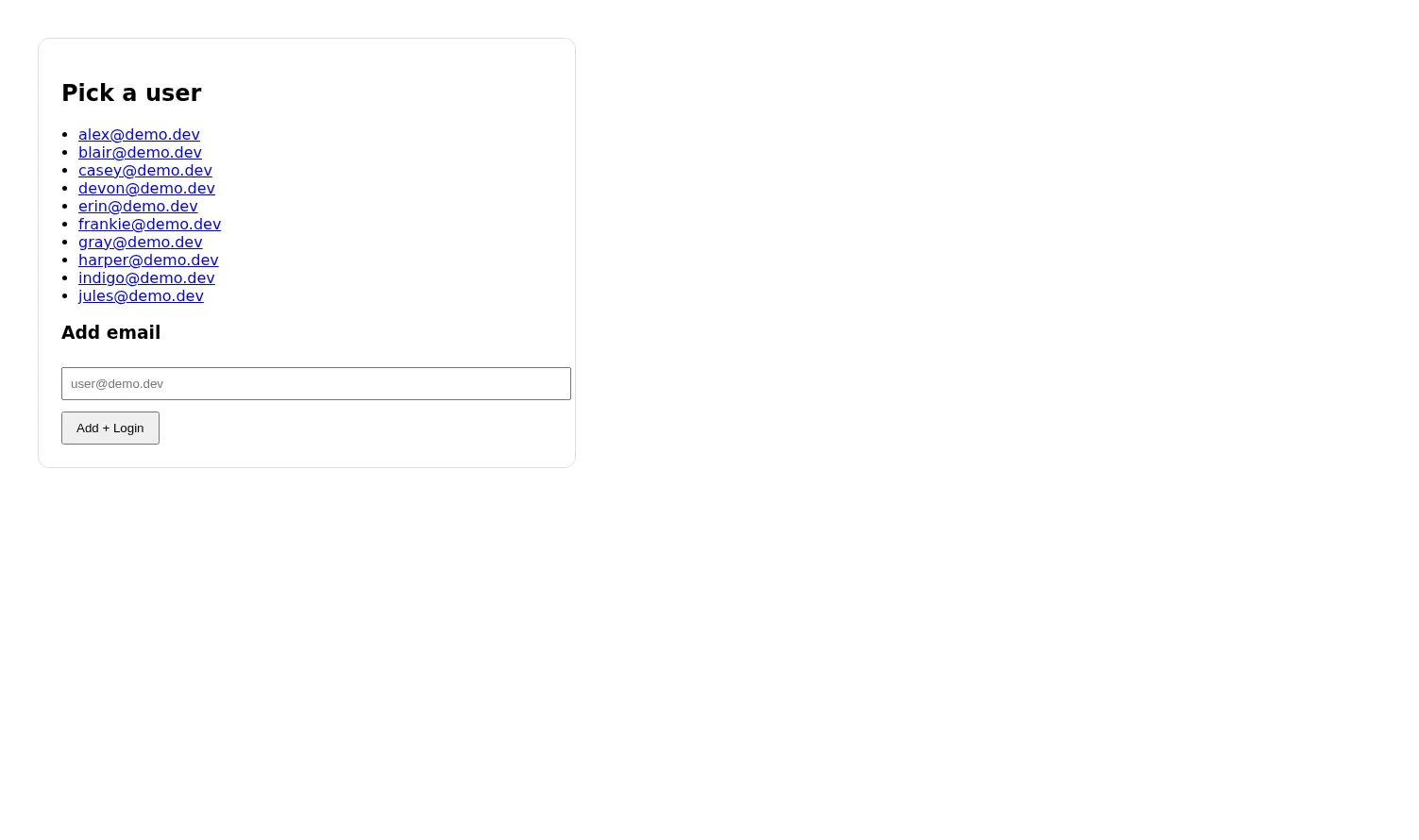
Sign in through the global account provider. In local development, the sign-in chooser lists the seeded users.
Enter the workspace slug you want. Use 3–31 lowercase letters, numbers, and hyphens; start and end with a letter or number. The slug becomes the workspace host.
Select Request workspace.
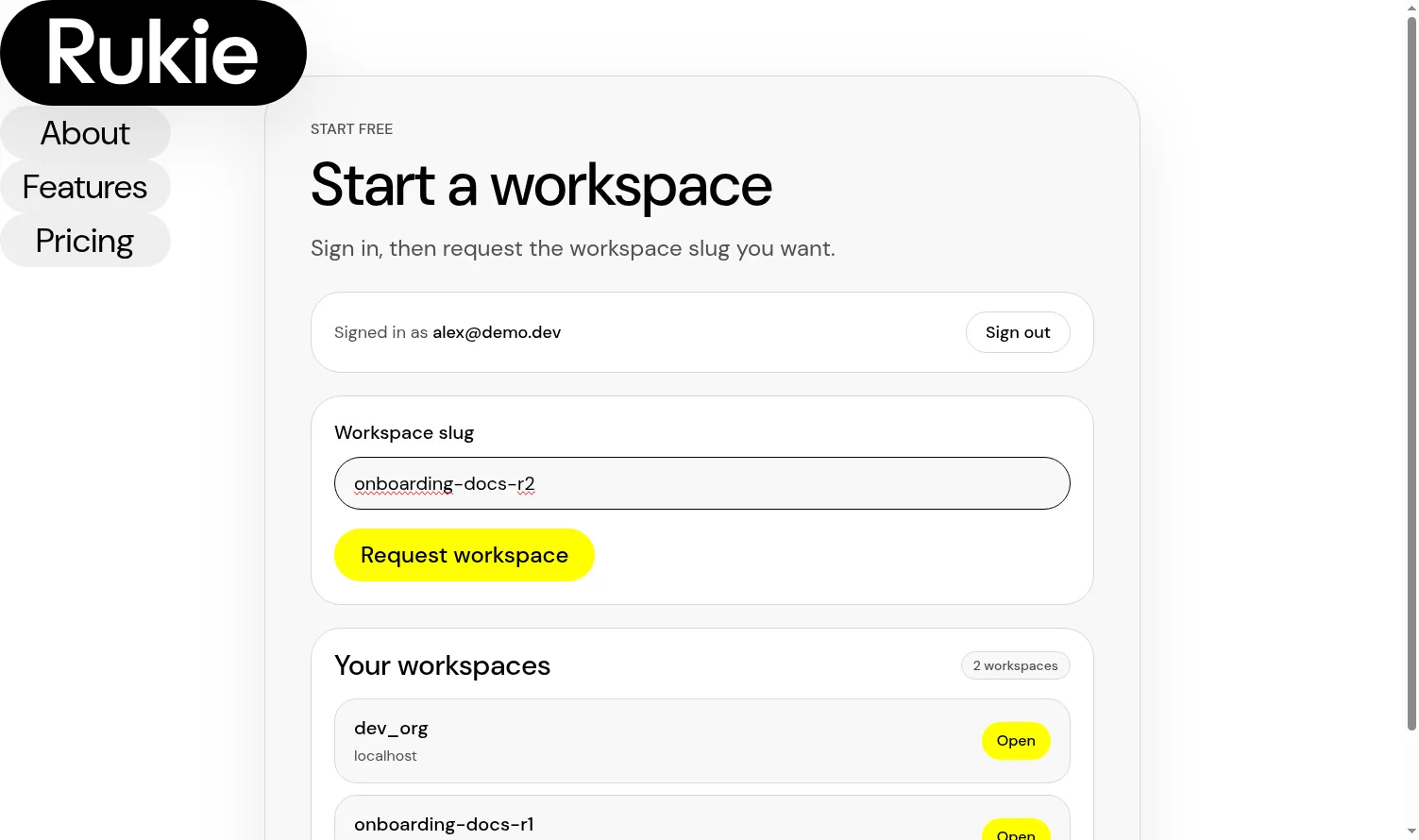
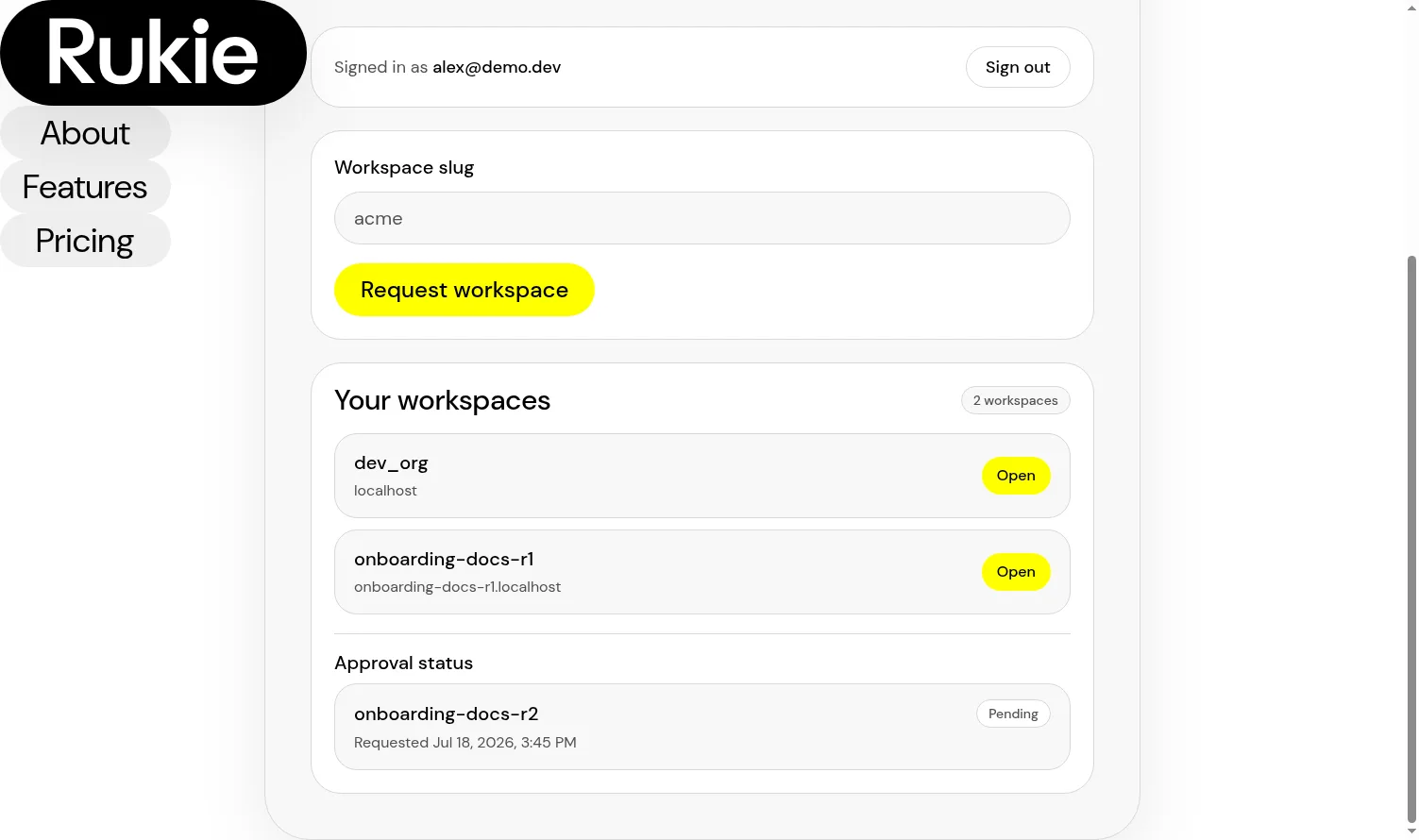
The request appears in the sign-up page's Approval status section as Pending. A confirmation banner says the request is waiting for approval, and you can leave the page while it is pending.
2. Approve the request
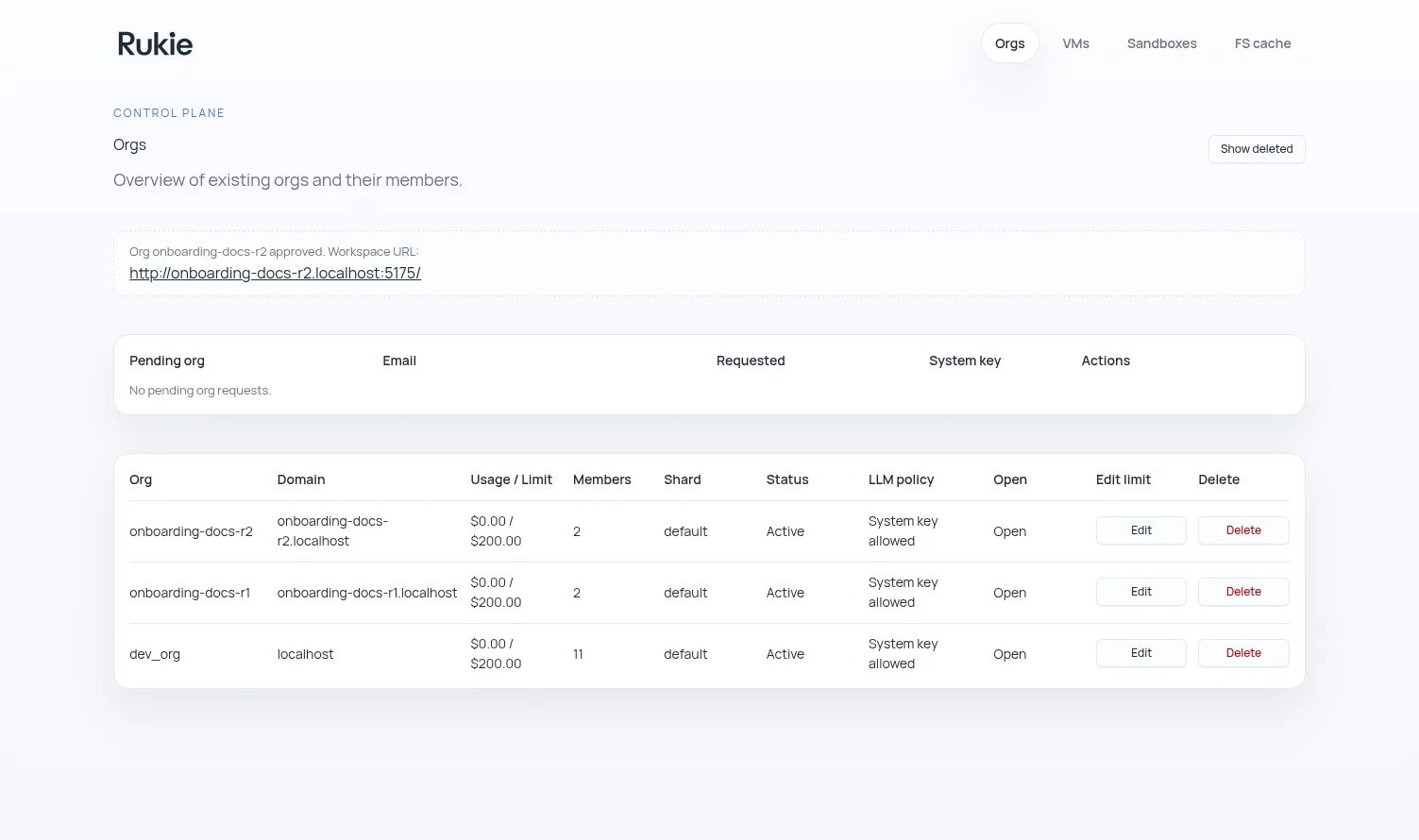
An operator opens the control plane, finds the pending organization request, and selects Approve. The control plane shows the new organization as active and provides its workspace URL.
Return to the landing page and open the approved workspace from Your workspaces. The workspace uses the requested slug as its host.
3. Activate your profile
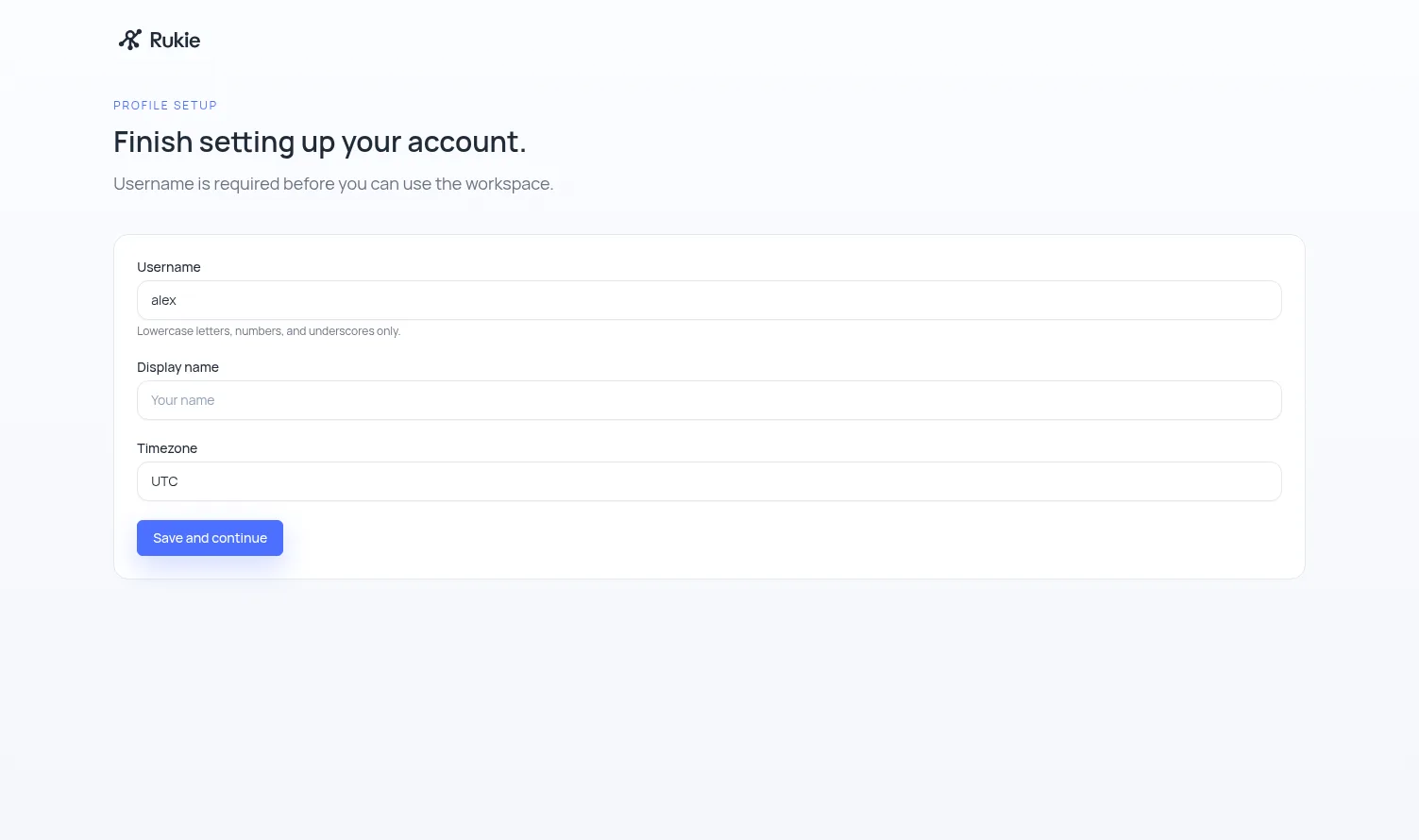
The first visit to a new workspace opens Profile setup. Enter a unique username, optionally set a display name, check the timezone, and select Save and continue.
The username is required before you can use the workspace.
4. Create the first room
After profile setup, Rukie opens the workspace home. The home room and a shared Main room are available immediately.
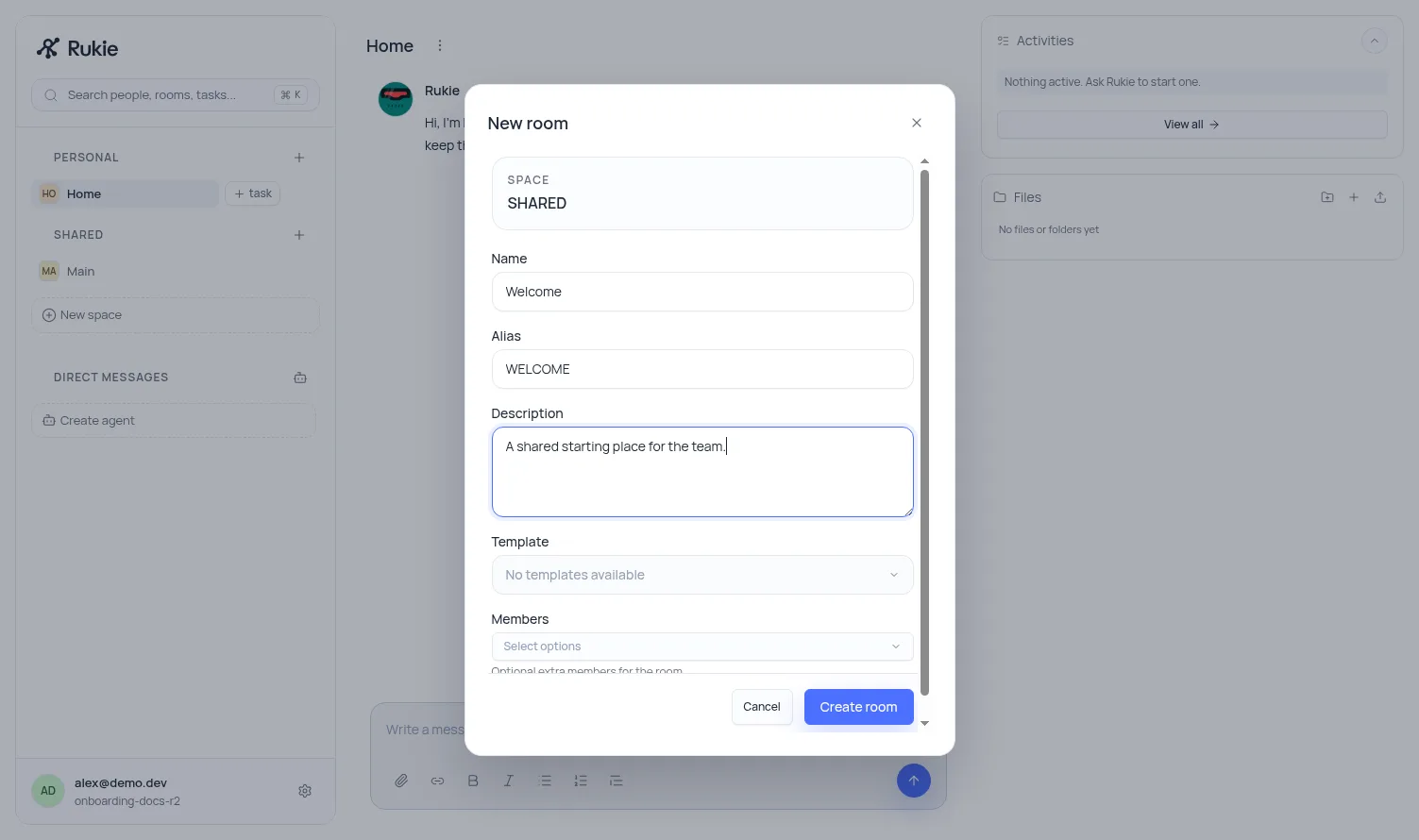
- Select New room beside the shared space.
- Enter a room name. An alias and short description are optional.
- Select Create room.
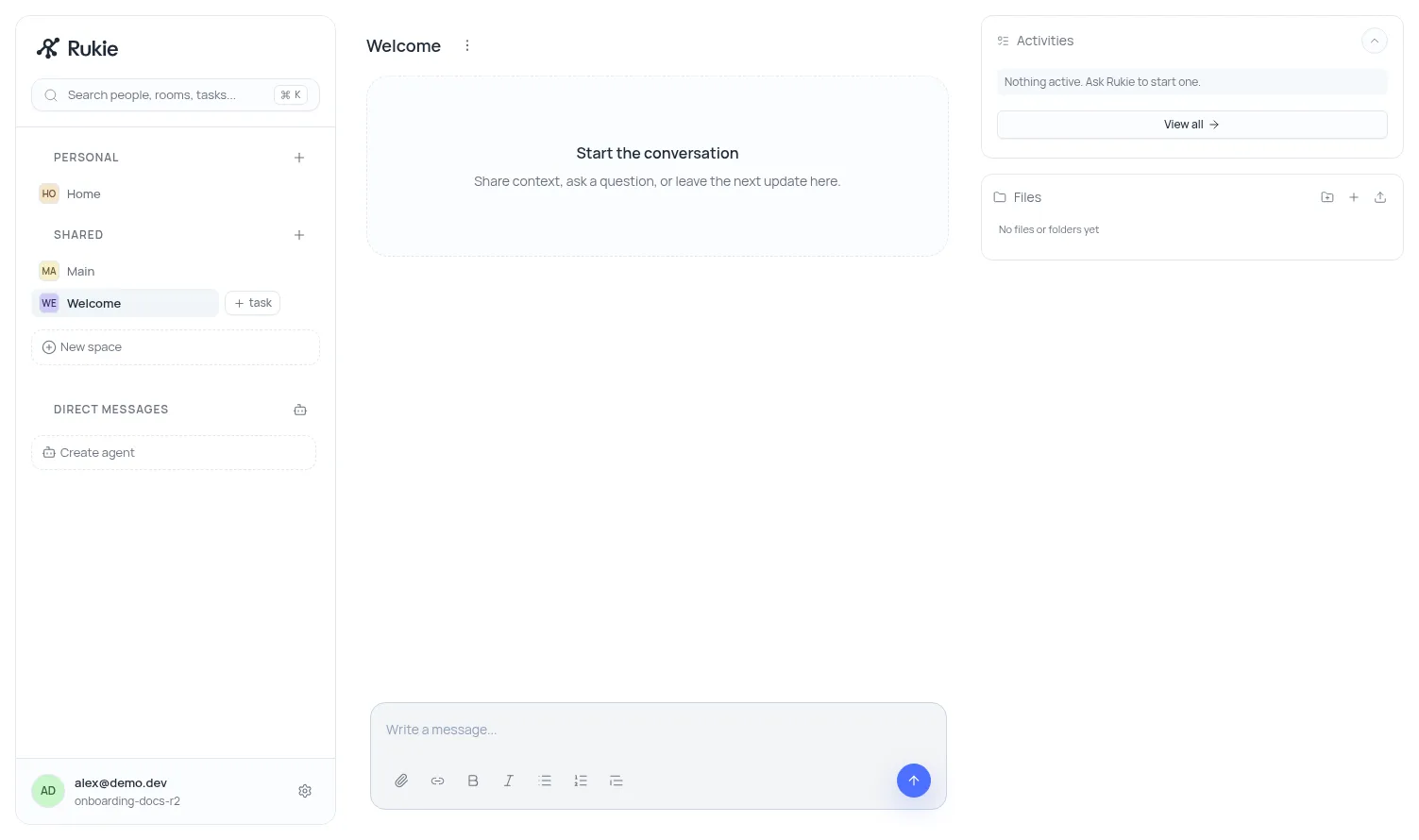
The new room opens immediately and appears in the shared-space list. Use it as the first place for team messages and work.
Result
You now have an approved organization, an active profile, a workspace host, and a first room. The organization remains available from the landing page for future sign-ins.